STP Links
 Access ToxPathNet
 ToxPathPic
 Scientific Liaison Coalition
 EPL Archives
Contact Information
- 11190 Sunrise Valley Dr., Suite 300, Reston, VA, 20191
- stp@toxpath.org
- 703-438-7508

Mobile App
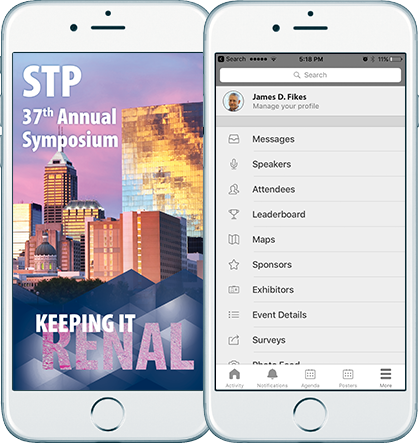



Download the app (STP2018)
from your app marketplace or
view in your browser.
How do I install the App?
iOS:
The iOS app is compatible with iPhones, iPads, and iPod touches running on an operating system of 10.0 and above. Device models older than the iPhone 4s, iPod touch 5th generation, and iPad 2 will not be able to run 10.0. If your DoubleDutch app is on version 7.0+ and you are using an iOS device, the app is only supported on iOS 10 and higher.
- Open the App Store app and search for the app by entering STP2018.
- Press the Free or Install button
Android:
The Android app is compatible with Android phones and tablets running on an operating system of 5.0 and above.
- Open the Google Play app and search for the app by entering STP2018.
- Select Download and open the app after the download has completed.
Note: The app is developed for Android 5 and higher (older Android versions have very limited disk space and may prompt to delete other apps on the device before installing a new app).
Desktop, Blackberry, or Windows Device (including Surface Tablets):
HTML 5 is a web-based application and can be accessed on a web-browser (optimized in Chrome, Safari, Firefox, IE 11+) used for desktops, Blackberry 10, and Windows Phones IE.
- Open the browser on the computer or device.
- Navigate to the Double Dutch website.
HOW TO LOGIN, REQUEST OR CHANGE PASSWORD
You will be prompted to enter your email and password. STP Member registrants use their STP membership login credentials to gain access. Non-member registrants use their email and password used to register for the meeting to gain access. At any time, use the password reminder on the STP website login to have your password sent to your email address (the email address used to register for the meeting), or use the reset password option on the app login page.
Learn How to Use the App
Watch the Video: Attendees' Guide to the App
Support: Attendees can access the DoubleDutch attendee help center. Support is available from STP Staff before the meeting at stp@toxpath.org and at the help desk in the registration area during the Annual Meeting.
